GPS Navigation: Maps Direction
PIONEER SOCIAL MEDIA APPLICATIONSMaps & Navigation
4.313.00 Reviews
- Version
- 1.0.10
- Installs
- 1.00M
- Age Rating
- Everyone
Screenshots
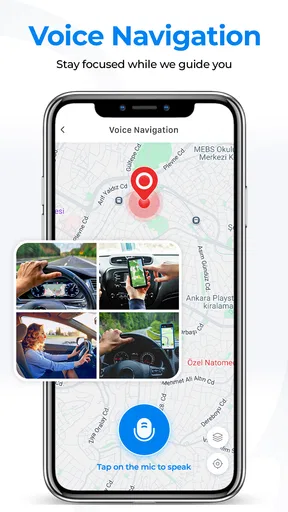
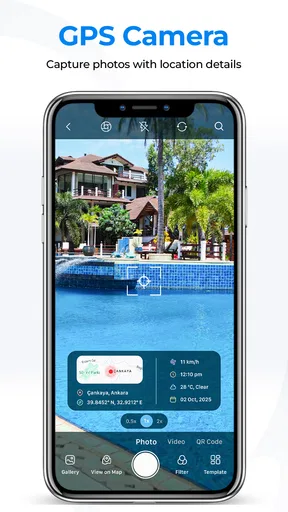
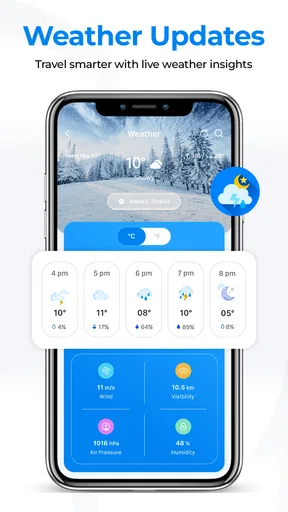
Our Review of GPS Navigation: Maps Direction
 Analysis by Appyee
When I try a new navigation app, I care less about how impressive the map looks and more about one practical question: can it help me decide what to do next without getting in the way? GPS Navigation: Maps Direction is built around that everyday need. It is a free Maps & Navigation app from PIONEER SOCIAL MEDIA APPLICATIONS, designed to help with location tracking and route planning on Android devices.
My overall impression is that its appeal comes from combining two jobs that people often treat separately: finding where they are and working out how to get somewhere else. That sounds simple, but it changes how useful the app feels during a normal trip. Instead of opening a map only after I am already confused, I can use it as a planning tool before leaving and as a directional aid once I am moving.
The app has an average rating of 4.3 from around 743 ratings, with over 500K installs. Those figures suggest that it has found a real audience, although I would still approach it as a focused navigation tool rather than an automatic replacement for every mapping service. Its content rating is Everyone, and it runs on Android 7.0 or later, which makes it accessible to people using older phones as well as newer devices.
Why the route-planning capability matters
I find route planning most useful when it turns a vague trip into a few decisions I can prepare for before setting off. In this section, I look at how that capability can help me judge the first turns, stay oriented in unfamiliar surroundings, and decide when a broader mapping tool would serve me better. That practical value also depends on the conditions around the phone, so connectivity deserves a closer look.
A map becomes more useful when it supports a decision
The central capability here is fast GPS route planning. In practice, that means the app is most valuable at the moment when I need to turn a destination into a sequence of decisions: where to start, which direction to follow, and how to keep checking my position while travelling. A static map can show the area, but a route planner gives the journey a shape.
I find this especially helpful when the destination is unfamiliar but not necessarily far away. A new café, a medical appointment, a client's office, or a meeting point in another part of town can all create the same small problem: I know the name or address, but I do not know how the trip will feel once I am on the road. A navigation app reduces that uncertainty by putting the route in front of me before I leave.
That is the real effect of the app's location-and-directions focus. It does not merely answer “where am I?” It helps connect the current position with the next place I want to reach. For short trips, that can prevent unnecessary turns. For longer journeys, it gives me a reference point I can return to when traffic, distractions, or an unfamiliar road make the trip harder to follow.
I also like the distinction between planning and tracking. Planning is something I do while stationary, when I can think about the destination and prepare. Tracking is what happens after the journey begins, when the important thing is whether my current position still matches the intended route. Treating both as part of one workflow makes more sense than switching between separate tools.
What I would use it for first
My first test with an app like this would not be a complicated cross-country drive. I would use it for a familiar starting point and an unfamiliar destination, because that reveals whether the basic experience is clear. For example, before leaving home for an appointment across town, I would check the route, confirm that the app has identified my current location, and then keep it available while travelling.
This kind of use also exposes an important strength: a navigation app does not have to be used only in emergencies. It can be part of a small preparation routine. I can check the route before putting my phone away, notice whether the destination is in an area I know, and avoid beginning the journey while still trying to understand the map.
For walkers, drivers, visitors, and people who regularly move between several locations, that preparation can be more useful than a long list of extra features. The app's purpose is easy to understand, and that clarity is a benefit when I want directions quickly rather than a crowded collection of unrelated travel tools.
How the workflow feels in practice
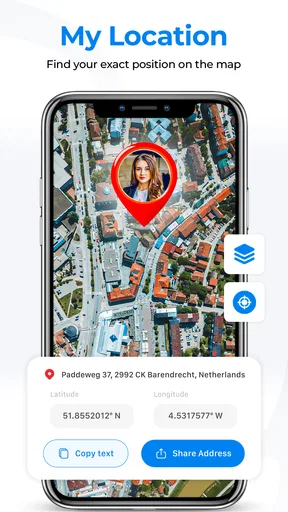
The sensible way to use GPS Navigation: Maps Direction is to begin with the location step, then move into route planning. I would first allow the app to establish where I am, check that the marker appears in the right place, and only then enter or select the destination. This order matters because a slightly inaccurate starting point can make the first direction confusing even when the rest of the route is sensible.
Once the destination is set, I would look at the complete route before moving. The first few turns deserve special attention. They are usually the part of a journey where I am most likely to make a mistake, especially if I am leaving a car park, a large building, or a complex group of streets. A quick glance at the opening section gives me a mental picture instead of forcing me to react to every instruction at the last second.
While travelling, I would treat the map as a support rather than something to stare at continuously. The safest habit is to check it when stopped or before setting off, then rely on the next clear direction. If I miss a turn, the useful question is not whether the original route was perfect, but whether the app helps me understand my new position and continue from there.
That is also where location tracking becomes more than a decorative map feature. Seeing my movement in relation to the route can reassure me that I am still heading correctly, particularly in areas where several roads look similar. It can also reveal when I have drifted away from the planned path before the mistake becomes a much longer detour.
A realistic everyday scenario
Imagine I have an appointment in a neighbourhood I rarely visit. I leave work with enough time to travel, but I do not want to spend the first part of the journey repeatedly stopping to search for the address. Before leaving, I open the app, let it identify my position, and plan the route to the appointment. I check the opening turns and the general direction, then begin travelling.
Halfway there, I notice that the streets no longer look familiar. Instead of guessing, I check my position against the route at a safe moment. If I am still aligned, I continue with confidence. If I have taken a wrong turn, I can use the updated location to regain a sense of direction rather than returning to the original starting point mentally.
After the appointment, the same process works in reverse. I can plan the trip home from the new location instead of assuming that the outward route will be equally convenient in reverse. This is a small but useful distinction: the place I am leaving from has changed, and a route planner is most helpful when it treats the current position as the starting point for the next decision.
Where it differs from ordinary alternatives
The usual alternative is a large, familiar mapping platform that combines navigation with business listings, reviews, public transport information, saved places, traffic layers, and many other services. Those platforms can be better when I need a broad travel ecosystem rather than directions alone. If I am choosing a restaurant, checking opening information, comparing transport options, or exploring a new area, a more comprehensive service may be the stronger choice.
GPS Navigation: Maps Direction makes more sense when the main task is straightforward: establish a location, plan a route, and follow it. That narrower purpose can feel less distracting. I am not necessarily looking for a social layer or a large directory; I may simply want to get from my current position to a destination with less uncertainty.
The trade-off is that a focused navigation app may not replace every tool I already use. I would not choose it solely because it has a map. I would choose it when I value a direct route-planning workflow and do not need the wider collection of travel information that larger alternatives often provide. The best option depends on whether the journey itself is the problem or whether I am researching everything around the journey.
Small habits that improve the experience
One useful habit is to plan before moving, not while moving. Entering a destination from a stationary position gives me time to notice whether the starting point is correct and whether the route begins in a confusing way. It also reduces the temptation to handle the phone while walking, cycling, or driving.
A second habit is to use the map as a confirmation tool at decision points. I do not need to keep examining the screen every few seconds. Instead, I can check before a complicated junction, after leaving a large venue, or whenever the surrounding streets stop matching my expectations. This makes location tracking more useful and less distracting.
A third insight is to separate route confidence from destination confidence. Sometimes I know exactly where I want to go but have not checked the best starting route. At other times, I know the general area but not the precise destination. The app helps most when I identify which of those two problems I actually have. If the destination itself is vague, I should resolve that before relying on directions; if the destination is clear, the route view becomes the main aid.
I would also avoid treating any navigation app as a substitute for common sense. A route can be technically direct without feeling comfortable in every situation. I still need to follow road signs, respect local rules, and make decisions safely. The app can support awareness, but it should not encourage me to ignore the environment around me.
Important trade-offs before installing
The free price makes the app easy to try, but in-app purchases range from $14.99 to $84.99 per item. That does not automatically make the app poor value, yet it is something I would keep in mind before assuming that every part of the experience is included at no cost. I would first decide whether the basic route-planning workflow meets my needs, then consider any paid option only if it offers a benefit I genuinely expect to use.
The current version is 1.0.9, so I would keep my expectations realistic about how mature the overall product may feel compared with long-established navigation platforms. A newer or more focused app can have a clean purpose, but it may not have the same depth, familiarity, or breadth that people have come to expect from older mapping services.
There is also a practical device consideration. Android 7.0 compatibility is helpful for users with older phones, but the quality of any navigation experience still depends on the phone itself, the accuracy of its location signal, and how comfortably the screen can be read while travelling. I would test the app before an important journey rather than making a first attempt on the day of a time-sensitive appointment.
Another trade-off is attention. A route planner can reduce mental effort, but only if I use it deliberately. Constantly watching the map can create a new distraction. For driving, I would prepare the route in advance and use the app only when it is safe to check. For walking, I would pause before looking closely at the screen, especially near traffic or crowded crossings.
Who will gain the most from it
I think the strongest audience is people who want a direct GPS navigation workflow without needing a full travel directory. That includes occasional drivers visiting unfamiliar areas, walkers finding appointments or venues, and users who prefer to prepare a route before leaving rather than improvise along the way.
It may also suit someone who has an older Android phone but still wants a current route-planning option. The broad device compatibility lowers the barrier to trying it, while the Everyone rating makes it appropriate for a general audience. I would particularly recommend giving it a trial if the main question is, “Can this help me connect my current location with my next destination quickly?”
People who need extensive public transport planning, detailed place discovery, community reviews, or a deep collection of saved travel information may be happier with a larger established mapping service. Likewise, a professional driver with demanding route requirements should compare the app carefully with specialist navigation products before depending on it for work.
For families, the simple purpose can be reassuring, but I would still show less experienced users how to check the starting location and how to pause before reading the map. The app can make directions easier to follow, yet good navigation habits remain important. The best result comes from combining its location awareness with sensible preparation.
My final view after using its core idea
GPS Navigation: Maps Direction is at its best when I judge it by the problem it is trying to solve: turning a current location and a destination into a usable route. Its value is not that it makes travel effortless in every circumstance. Its value is that it can give an ordinary journey a clearer starting point, a sequence of decisions, and a way to check whether I am still going the right way.
I would recommend trying it for everyday trips before relying on it for something critical. Test the route-planning process from a familiar place, learn how the location marker behaves, and decide whether the focused experience suits the way you travel. If you want a simple navigation companion and do not need a complete travel information hub, GPS Navigation: Maps Direction is a reasonable free option to explore.
My recommendation is therefore positive but specific. Choose it for fast location-based route planning, especially when unfamiliar streets are the main source of stress. Choose a broader alternative when you need transport comparisons, rich place information, or a mature all-in-one map service. Used within that boundary, the app's central capability is practical, understandable, and genuinely useful.
Verdict
Strengths of GPS Navigation: Maps Direction
- Clear turn-by-turn directions make routes easy to follow.
- Supports location search for addresses, places, and businesses.
- Useful map view helps users understand nearby roads and landmarks.
- Can assist with planning routes before starting a trip.
- Practical for daily commutes, errands, and unfamiliar destinations.
Limitations of GPS Navigation: Maps Direction
- GPS accuracy may decrease indoors, underground, or between tall buildings.
- Continuous navigation can drain battery quickly during long journeys.
- Live traffic information may vary by location and data availability.
- Some advanced features may require an internet connection.
- Incorrect map data can occasionally lead to outdated routes or places.
Similar Picks in This Category
View All
Uber - Request a ride
Uber Technologies, Inc.4.7


inDrive. Rides with fair fares
® SUOL INNOVATIONS LTD4.8

Yandex Go: Taxi Food Delivery
Mikromobilnost LLC Belgrade4.8

Bolt: Request a Ride
Bolt Technology4.8

Rapido: Bike-Taxi, Auto & Cabs
Rapido Bike Taxi4.8
Frequently Asked Questions
What is GPS Navigation: Maps Direction used for?
GPS Navigation: Maps Direction is designed to help users plan routes and navigate to destinations using turn-by-turn directions. It can be useful for driving, walking, or exploring unfamiliar areas, depending on the features available in your version. The app generally combines your device’s GPS location with map data to show your position, calculate routes, and provide guidance while traveling.
Does GPS Navigation: Maps Direction require an internet connection?
An internet connection may be needed to download map information, search for places, calculate routes, receive traffic updates, or load advertisements. Some navigation apps support limited offline use after maps or routes have been saved, but this should not be assumed for every area or feature. Before traveling, it is wise to test the route and check whether offline maps are available.
Is GPS Navigation: Maps Direction accurate and reliable?
The app can provide useful navigation assistance, but its accuracy depends on several factors, including GPS signal strength, map data, device quality, road changes, and the availability of traffic information. Tall buildings, tunnels, poor weather, or indoor locations may affect positioning. Drivers should always follow road signs and local traffic laws rather than relying exclusively on the app.
Does the app collect location or personal information?
Because navigation applications need your position to provide directions, GPS Navigation: Maps Direction may request access to location services. The exact information collected, stored, or shared depends on the app’s privacy policy, permissions, advertising partners, and account features. Before installing, review the permissions requested and privacy details, especially if you are concerned about background location tracking or personalized advertising.
Is GPS Navigation: Maps Direction free to download and use?
The application may be available as a free download, but some functions can include advertising, optional purchases, subscriptions, or limitations in the free version. Features such as advanced route planning, traffic information, offline maps, or an ad-free experience may vary by platform and region. Check the Google Play Store or Apple App Store listing for the current pricing and included features before downloading.
